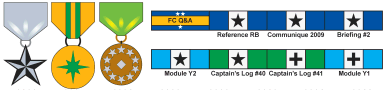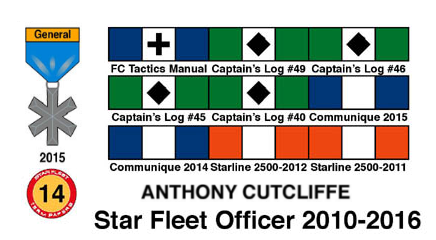
I've been putting my ADB Inc. Campaign Ribbons in my signature, and a few other people have been asking about it. Here's how to do it:
Step 1: Contribute something to the Star Fleet Universe, the games, or the players. ADB, Inc. awards ribbons and medals to those who contribute to improving the products or the business. There's a lot of ways to do it: making multiple, useful comments in the development topics on the boards; translating an SFB scenario into FC format which gets published; writing a new scenario which gets published; demoing games at game stores; writing fiction that gets published; finding intellectual property pirates; and so on. For example, Will "djdood" McCammon's signature shows the GIA intelligence cross with two stars for finding two SFU pirates, a superior service ribbon for creating the F5W ship miniature, and a general service ribbon for contribution to the Romulan Border product. As a matter of courtesy and protocol, don't use ribbons or awards you didn't earn in your signature or avatar. ADB, Inc. takes them seriously and it's wrong to take credit for something unearned.
Step 2: Wait for your ribbons to be awarded. These are listed in Captain's Log every six months. They are published on the Medal Wall and Honor Scroll, here: http://www.starfleetgames.com/discus/me ... 1274463410 If you want Steve Cole to send you pics of your medals, or if you think one is missing, email him about it. Requests like this are handled on his Customer Request Wednesdays, and Steve's a very busy man, so please be patient about it.
Step 3: Once you have pics of your medals in the right format (I use .jpg), host the picture on a hosting service. Get the URL of your picture from this service.
Step 4. Go to your profile page, you can see the link at the top of the page under "profile".
Step 5. In the "signature" section of your profile, put your URL from the hosting service inside image tags, like so: